

INFRAGISTICS ULTIMATE
Build high-performance apps faster—
with AI and the most powerful UI toolkit.
Infragistics Ultimate provides a comprehensive library of data-rich UI controls and an enterprise MCP toolchain that delivers agent-ready workflows so your teams can build secure, intelligent applications faster.
Agent-Ready App Development
Create enterprise-grade applications faster with a complete enterprise MCP toolchain, agent-ready UI components, design-to-code workflows, and design-system-aware theming.
 Turn AI from a general assistant into a workflow aware development partner so teams can create applications, improve existing ones, replace components, and refine UI.
- Scaffold your initial application structure for easier project setup, routing, and data wiring for Angular, React, Blazor or Web Components.
- Use Ignite UI components to recreate the main structure and core UI elements, and then allow the AI-assisted workflow to analyze your layout, structure, and visible UI patterns.
The Fastest Components on the Market
Build high-performance web applications with our comprehensive UI libraries for your favorite framework.
Ignite UI for Angular
Build and scale Angular apps faster with our enterprise-grade, high-performance UI component library.
Get Started with Angular
Ignite UI for Blazor
Deliver .NET-native Blazor experiences with our comprehensive, enterprise-ready UI component library.
Get Started with Blazor
Ignite UI for React
Ship polished, production-ready React apps with our enterprise-grade UI component library.
Get Started with React
Web Components
Future-proof your apps with our framework-agnostic Web Components UI library.
Get Started with Web ComponentsOffice-Inspired Desktop Apps
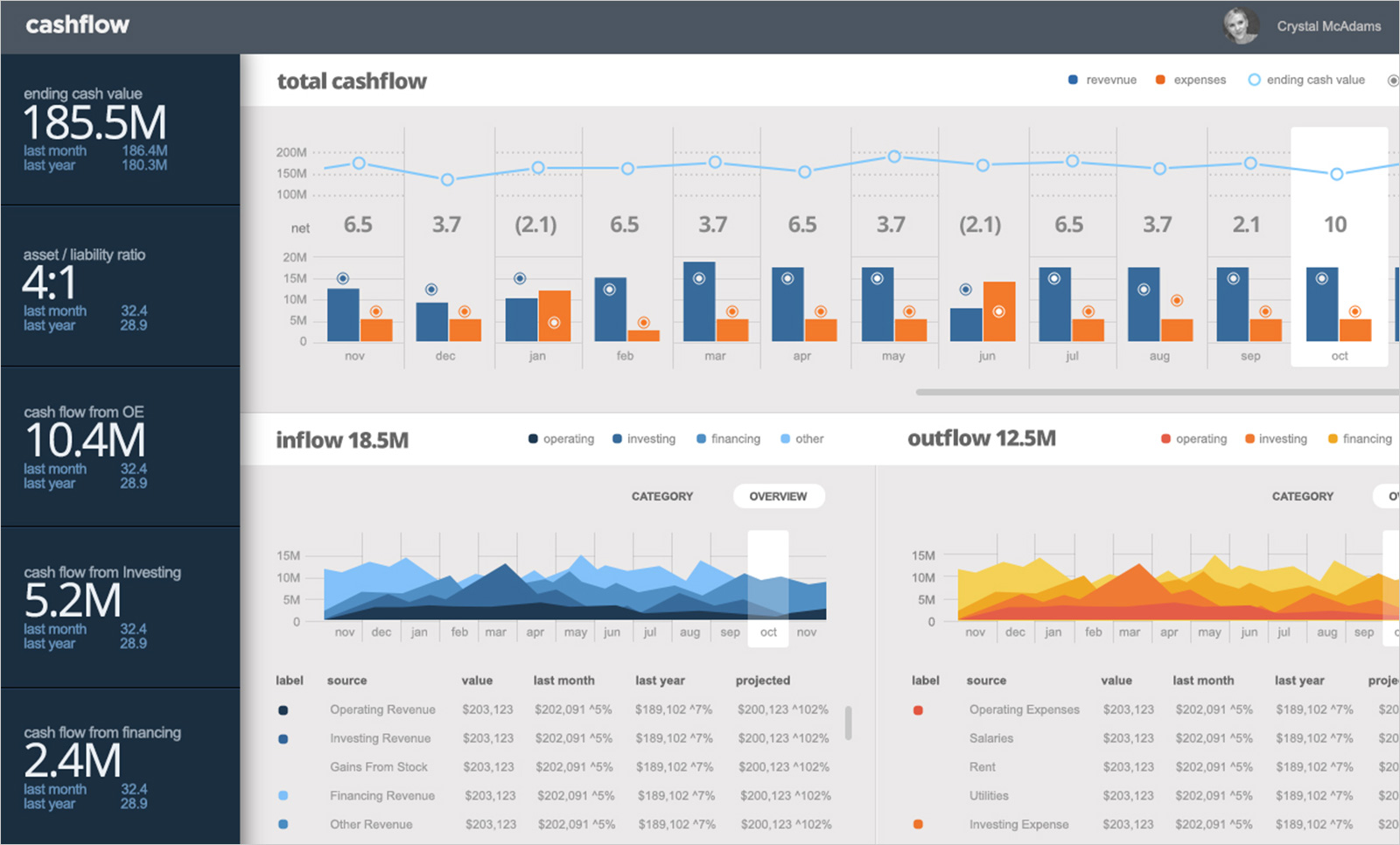
With industry-leading UI toolkits for Windows Forms and WPF, Infragistics Ultimate makes it easy for developers to build beautiful, high-performing modern desktop applications.
- Over 100 touch-friendly UI controls
- Charts, grids, spreadsheets, calendars and more
- Built on the latest .NET Core framework from Microsoft
Enterprise-Grade, AI-Generated Apps with
App Builder
Automate mundane, repetitive tasks and allow your development team to focus on custom functionality, so they can deliver real apps faster for any modern web framework.
- Generate full applications from natural language, including multi-page structures, viewports, navigation, and themes.
- Build complete screens like dashboards, landing pages, product lists, and e-commerce or login/register screens.
- Generate full applications from uploaded images thanks to the AI's context-aware interpretation
Trusted by Developers Worldwide








 5/5
5/5You get a comprehensive set of UI components that are well-built, consistent, and reliable for real-world applications. The one thing I like the most is the performance of data heavy components like data grids and charts. You rarely get that in other component libraries or at least not on the same level. I really like the new set of open source components for Angular and React. They’re ideal for smaller projects and applications, allowing teams to build without adding extra licensing costs.
 5/5
5/5We’ve been using Ignite UI for Angular for close to five years, primarily for the grid and its advanced features. The grid is powerful, flexible, and well suited for data-heavy scenarios. I also appreciate the recent move to release more components as open source, which makes the library more accessible, transparent, and easier to adopt across teams and projects./p>
5/5The grid is very powerful: fast rendering, excellent filtering, sorting, grouping, and looks clean out of the box. Myteam really appreciates how feature-rich it is.
5/5The Grid handles huge datasets with smooth scrolling and includes features like filtering, grouping, inline editing, and Excel export right out of the box.
5/5The drag-and-drop components speed up UI creation dramatically, while the generated code is clean and portable. I can easily switch frameworks. Also, I love that there’s no vendor lock-in.
5/5During our research we found Reveal and they promised fast deployment, extreme security measures, and significantly lower price tag. It turned out they were right. It took about a month to deploy and the cost saving was astronomical.
5/5The reusable components are framework-agnostic, which means I can design once and use them across Angular, React, Blazor or Web Components. This makes our development stack more flexible, especially when projects have different requirements.
5/5The Pivot Grid is brilliant. I just drop it onto the canvas, bind it to a data source, and App Builder automatically creates a pivot view for me.
5/5The library of over 65 reusable UI controls and prebuilt themes means you spend less time styling and more time designing flows and interactions. Built-in data binding, Master-Detail views and GitHub integration make it robust as well


製品価格
Infragistics Ultimateのほかに、「App Builder」を含まないInfragistics Professionalもご用意しています。バンドルされる内容の詳細については、製品比較表でご確認ください。
Web・デスクトップ・モバイルアプリケーション開発を効率化する、ソフトウェア開発チームのためのオールインワンUI/UX開発ツールキットです。
1開発者あたりの年間サブスクリプション価格
Frequently Asked Questions
Questions and Answers for Infragistics Ultimate
What is Infragistics Ultimate?
Infragistics Ultimate is the only complete UX/UI toolkit and design-to-code solution for desktop, web and mobile app designers and developers. Includes the brand-new cloud-based WYSIWYG drag & drop App Builder, as well as for app design, prototyping, user testing and code generation. Also includes a comprehensive library of user interface (UI) components, including 100s of data charts, grids and controls for desktop (Windows Forms and WPF), web (Angular, ASP.NET (Core & MVC), Blazor, jQuery, React and Web Components) and mobile (Android, iOS and Xamarin).
What makes Infragistics Ultimate different from other UX/UI toolkits?
Infragistics Ultimate is the only solution of its kind, integrating a complete UX/UI toolkit and design-to-code solution for desktop, web and mobile app designers and developers. Including our low code, WYSIWYG App Builder for faster app development. Backed by Infragistics 30+ years of industry leadership and our award-winning live support, Infragistics Ultimate provides you with everything you need to build beautiful experiences in any framework or platform.
How does the pricing and licensing for Infragistics Ultimate work?
Infragistics Ultimate is licensed via a subscription model. A single developer license for the Infragistics Ultimate starts at $2,399 USD for a one-year subscription, including one year of standard support and updates. This is the best value for developers and teams building desktop, web and/or mobile applications, with a focus on user experience (UX). We also offer discounts for multi-year licenses. Please refer to our Pricing page for more information on pricing.
How do I get started with Infragistics Ultimate?
The best place to get started would be our documentation and getting started materials for each of our toolsets.
Where can I find component samples and sample applications?
The team at Infragistics maintains a comprehensive library of code samples which you can access here. We also maintain a library of sample applications, which you can access here.
Does Infragistics Ultimate support accessibility (a11y)?
Each product and each component in the Infragistics Ultimate product family is implemented according to the latest accessibility guidelines and specifications. All components have been tested for usability using OS or Browser provided accessibility technology – screen readers. The team ensures not only that the guidelines are implemented, but also that the actual content delivered to visually impaired or blind people is accessible and user-friendly for them.
Does Infragistics Ultimate support internationalization (i18n)?
Each product in the Infragistics Ultimate product family is built with internationalization in mind. Every product offers internationalization mechanisms specific to the supported framework. Languages supported out of the box are English, Japanese, Korean and Spanish. Ignite UI for jQuery and its derivative products – Ignite UI for MVC and Ignite UI for ASP.NET Core also include out of the box language support for French, German, Russian and Bulgarian.
Is Infragistics Ultimate compatible with .NET 8?
As of the Infragistics Ultimate 21.2 release, all our .NET components and solutions are now .NET 8 compatible.